


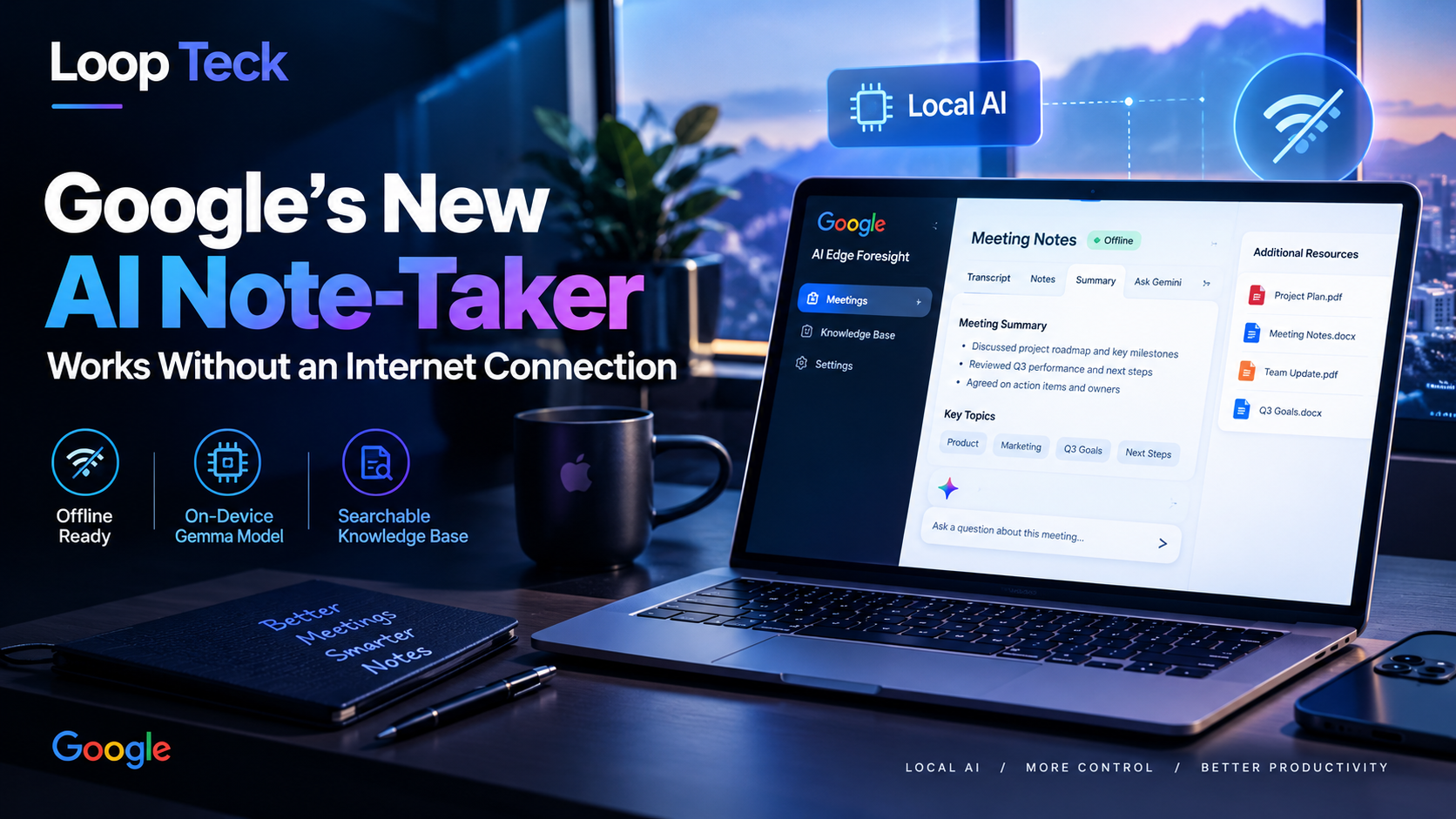
Google is taking another step into AI-powered productivity, but this time the interesting part is where the processing happens.
Google AI Edge Foresight is a new Mac application designed to capture and organize meeting information using AI models that run on the device. The app can operate without an internet connection and uses the 740-million-parameter EmbeddingGemma 2 model for its local capabilities.
That makes Foresight an unusual entry in an increasingly crowded meeting-notes market. Its interface also looks familiar to users of Granola, combining handwritten or shorthand notes with AI-generated meeting output. The bigger question is whether Google intends Foresight to remain an experimental showcase for its Gemma models or use the project as a foundation for a broader Gemini-powered product.
Google’s local AI experiment has become a meeting assistant
Google AI Edge Foresight is a Mac-based meeting note-taking application built around local AI processing.
The app can capture meeting notes across applications and can also be used during in-person meetings. Because its AI functionality is designed to run locally, the experience does not depend entirely on a cloud connection.
That distinction matters.
Most AI productivity tools are built around remote models and online services. Foresight instead demonstrates how much of the meeting workflow can be handled directly on Apple’s hardware.
Google says the application is optimized for Apple Silicon. It can also operate completely offline, allowing users to continue working with their meeting information while traveling or when a reliable internet connection is unavailable.
A familiar interface, with Google’s own local AI layer
Foresight will look familiar to anyone who has used Granola.
Its interface places manual shorthand notes alongside AI-generated notes, giving the user a way to record their own observations while the application handles the transcription and organization of the meeting.
The workflow does not stop at transcription.
Users can open the meeting transcript and interact with a Gemma 4-powered assistant to ask questions about what was discussed. That turns the transcript into something closer to an interactive record of the conversation rather than a document that sits in a folder after the meeting ends.
Foresight can also build a knowledge base from documents
Your meeting isn’t the only source of information
Foresight can bring outside material into a knowledge base, allowing information already collected by the user to sit alongside live meeting context.
PDF documents
PDFs can be added to the knowledge base and used alongside meeting information when Foresight answers relevant questions.
The offline capability is the real differentiator
Google’s FAQ describes Foresight as an application optimized for Apple Silicon and capable of working entirely offline.
That design is particularly relevant for people who cannot assume they will always have a stable connection. Meeting notes remain accessible during travel, and the local architecture also provides a demonstration of what Google’s on-device AI models can handle without sending every task to a remote service.
The application uses EmbeddingGemma 2, which has 740 million parameters, for its on-device embedding capabilities.
The result is a very different proposition from a conventional cloud-first AI assistant. Foresight is effectively being used to show how Google’s Gemma model family can support a practical productivity workflow directly on a Mac.
Google has already experimented with local AI dictation
Foresight is not Google’s first recent experiment in this direction.
Earlier in April, the company released an AI-powered dictation application built around local models. That earlier project remained experimental and did not become a mainstream consumer product.
Foresight could follow a similar path.
There is no indication in the supplied material that Google has announced this application as a major consumer product. It may instead be a practical showcase for the capabilities of Google’s offline Gemma models.
Still, the experiment points toward a broader possibility.
Could Gemini eventually get an offline meeting workflow?
Google could eventually bring some of these ideas into a consumer-facing meeting assistant connected to its Gemini applications.
A future version could potentially work across video-calling applications while relying on Google’s cloud models rather than the fully local architecture used by Foresight. That possibility remains speculative, however, and Google has not confirmed such a product in the supplied material.
For now, Foresight appears to occupy a more experimental position.
That does not make the project insignificant. Local AI is becoming a more practical part of the broader AI software landscape, and Google’s own model family gives the company an obvious platform for testing where on-device processing can fit into everyday workflows.
The meeting-note market is getting crowded
Google is entering a category that already has plenty of competition.
Granola has helped popularize AI-assisted meeting notes, while other productivity companies are moving into the same space. Recently, dictation company Wispr and scheduling company Calendly also released their own meeting-note products.
The market is expanding beyond dedicated note-taking startups.
Productivity company Superhuman, formerly Grammarly, acquired YC-backed meeting note-taker Fathom in September. That deal adds another signal that meeting intelligence is becoming part of the larger productivity software battle.
Google’s arrival therefore matters less because it created the category and more because of what it brings to it: a major AI platform, the Gemma model family and an explicit focus on local processing.
Practical Takeaway
Google AI Edge Foresight currently looks like a technology showcase with a useful product attached to it.
Its defining feature is not simply AI-generated meeting notes. The more notable combination is offline operation, local AI processing, manual note-taking, transcripts, document retrieval and an interactive assistant inside one Mac application.
For users who already rely on tools such as Granola, Foresight represents another approach to the same workflow. For Google, it offers a way to demonstrate how far its Gemma models can go when AI runs directly on a device.
Whether that experiment eventually becomes a broader Gemini feature remains unanswered. For now, the product provides a clear look at Google’s push toward local-first AI productivity.
Google AI Edge Foresight FAQ
Answers to the key questions about Google’s local-first AI meeting note-taker, its offline capabilities, supported files and how it compares with traditional cloud-based tools.
Google AI Edge Foresight is an experimental Mac application designed to act as a local AI meeting companion. It can capture meeting information, enhance notes, index conversations and retrieve information from files stored in a personal knowledge base.
Yes. Google says Foresight can work completely offline. The app is designed for local AI processing, allowing users to work with meeting information even when an internet connection is not available.
Foresight uses Google’s EmbeddingGemma 2 and Gemma 4 models. EmbeddingGemma 2 is a 740-million-parameter multimodal embedding model designed for on-device retrieval, while the app also uses Gemma 4 for its AI assistant capabilities.
Yes. Foresight allows users to write shorthand or manual notes while the meeting is being captured. The application can then use the ongoing conversation to enhance those notes with additional context.
The app can work with PDFs, Google Docs, Microsoft Office files, plain-text documents, Markdown files and web bookmarks. These sources can be added to a personal knowledge base alongside meeting notes and transcripts.
Yes. Foresight can search information from meeting conversations and the user’s knowledge base to provide answers. This allows information from stored documents and previous meeting material to be retrieved when it is relevant to a question.
Foresight has a workflow similar to Granola in that users can combine manual shorthand notes with AI-generated meeting notes. Google’s application adds its own local AI processing, document retrieval and Gemma-powered question answering to that workflow.
Yes. Google describes Foresight as a Mac application optimized for Apple Silicon. Its local processing architecture is intended to run AI-powered retrieval and meeting assistance directly on compatible Mac hardware.
Not based on the information currently available. Google describes Foresight as an experimental AI Edge application. A broader consumer meeting assistant built into Gemini remains a possibility, but Google has not confirmed such a product in the material covered in this article.
The local-first design means the application can continue processing meeting information without relying on a constant internet connection. Google also positions local processing as a way to keep personal information on the device while enabling AI-powered search and retrieval.


Loop Teck
✓Technology, AI, smartphones & the future of innovation.