Apple is preparing to release its next incremental update, and the iOS 26.3 features indicate a strong focus on usability, connectivity, and system-level refinement. Although this update is not a major overhaul, it introduces several meaningful improvements that enhance daily iPhone usage.
Historically, Apple has released x.3 updates toward the end of January. Therefore, iOS 26.3 is expected to follow a similar timeline. However, since the Release Candidate build is not yet available, an early February rollout remains possible.
Below is a clear breakdown of what users can expect once the update arrives.
Seamless iPhone to Android Transfer Tool
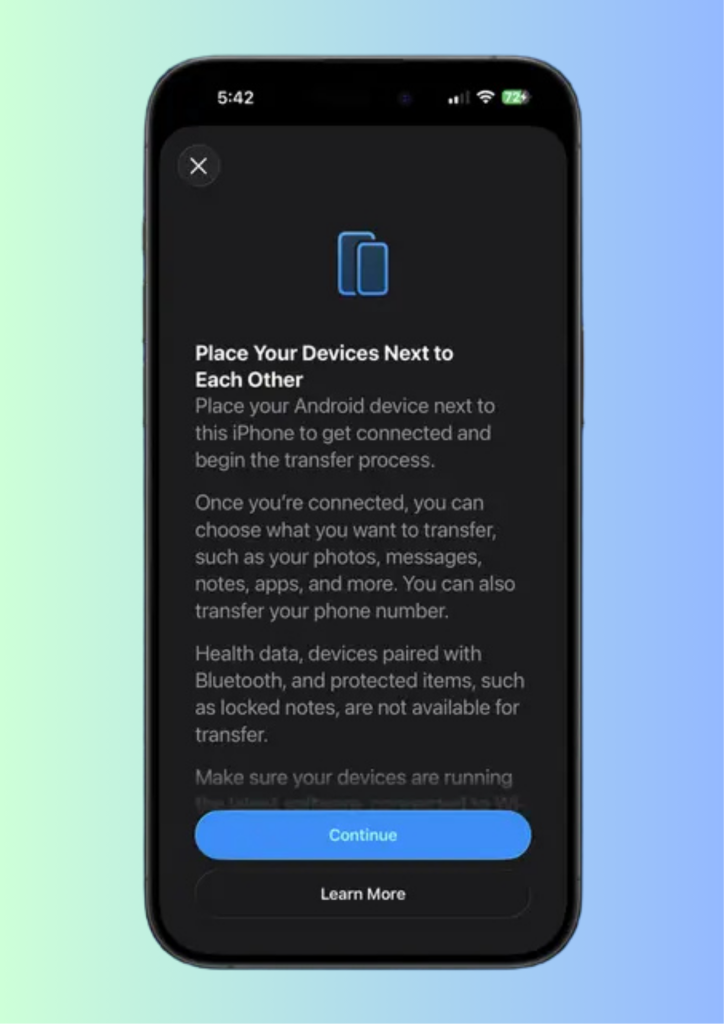
One of the most practical iOS 26.3 features is a new wireless transfer tool designed for users switching to Android. This tool allows direct device-to-device transfers without cables or third-party apps.
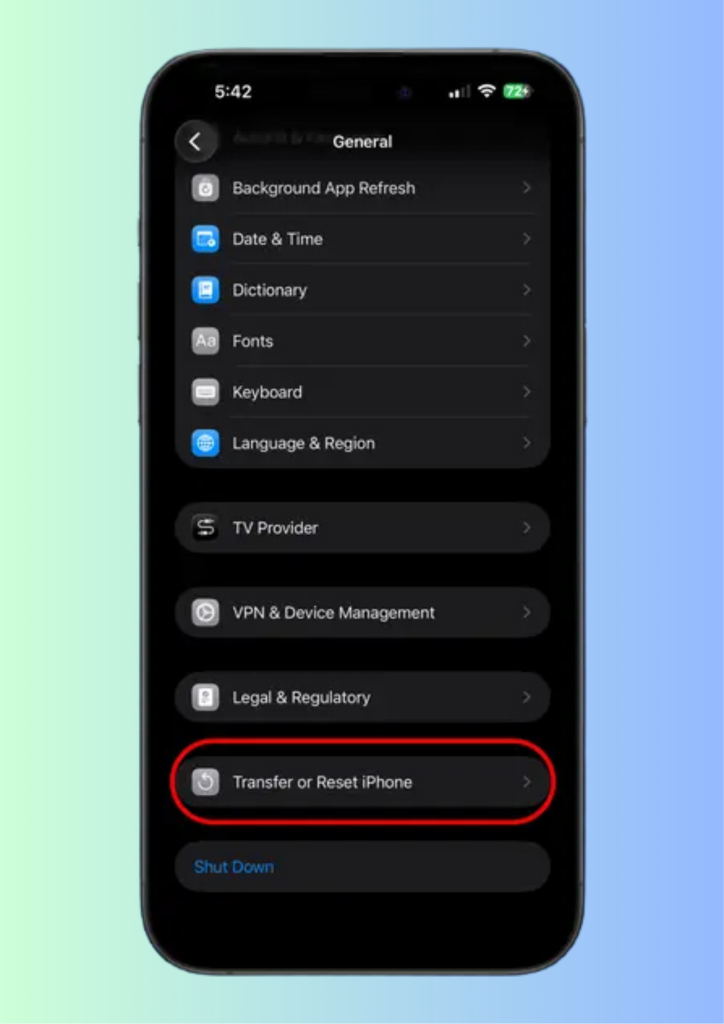
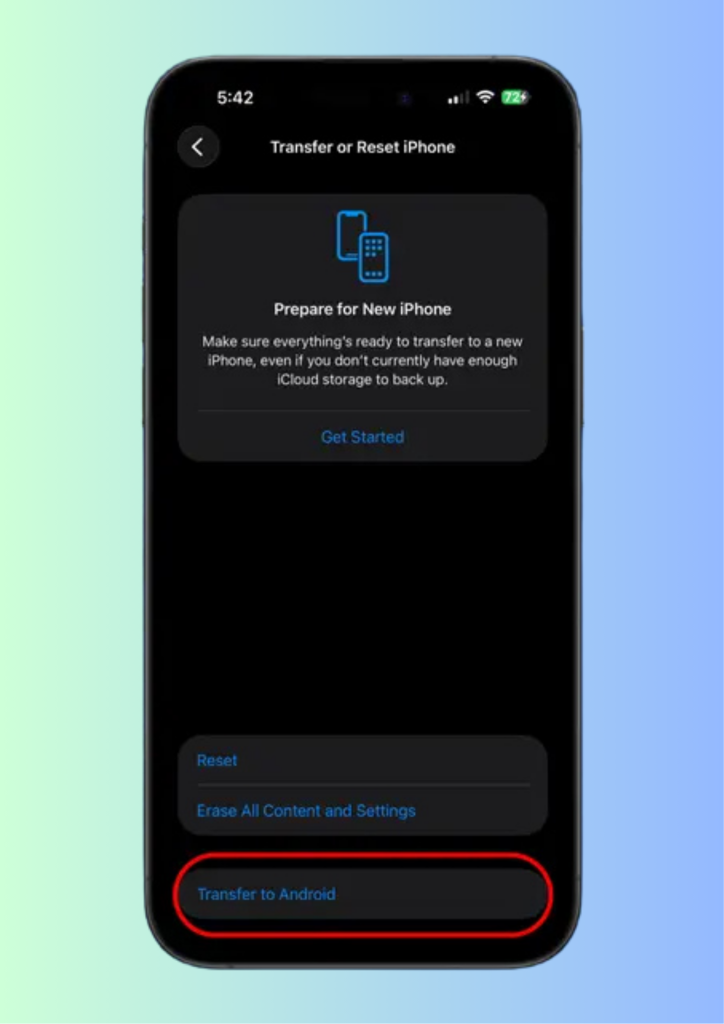
Users can move photos, messages, notes, apps, and even their phone number. Moreover, the setup process is straightforward. The option appears in Settings → General → Transfer or Reset iPhone → Transfer to Android, making the transition significantly easier.
Notification Forwarding and Accessory Pairing Enhancements
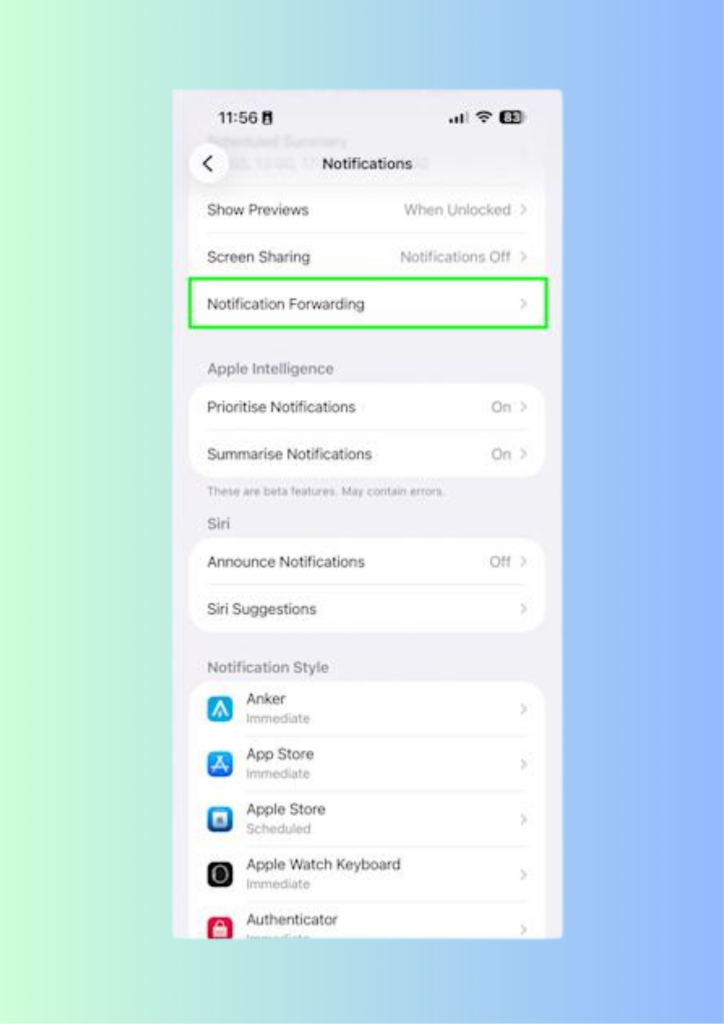
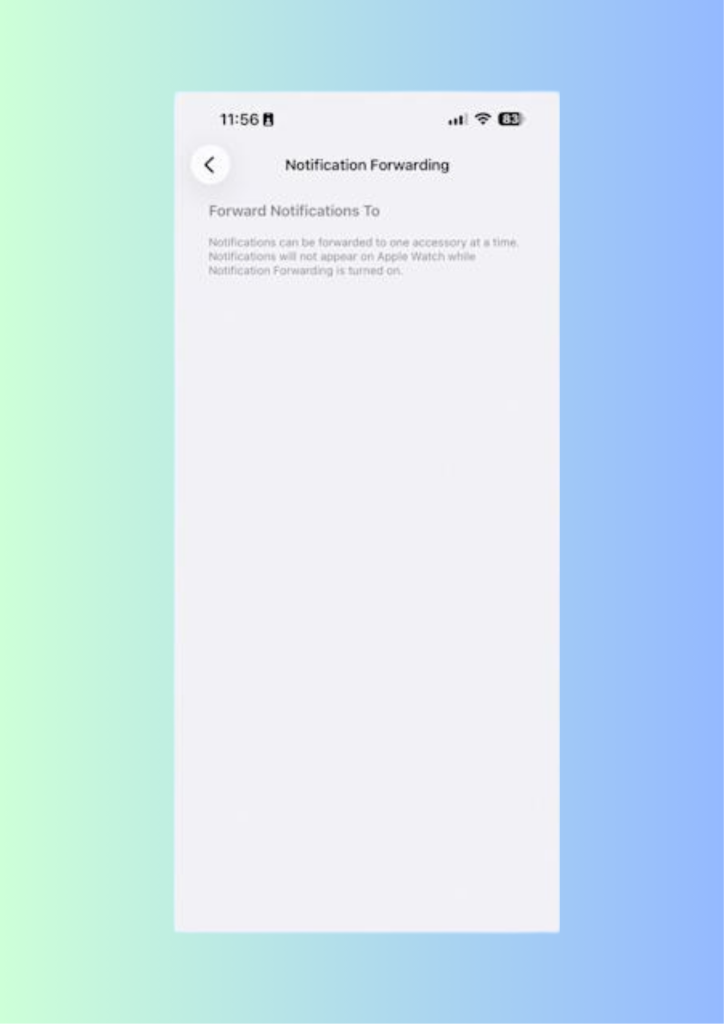
Another improvement focuses on notifications and accessory integration. iOS 26.3 introduces notification forwarding and proximity pairing for third-party earbuds and smartwatches.
These changes align with regulatory requirements while also improving everyday convenience. As a result, users gain smoother pairing experiences similar to AirPods, even with non-Apple accessories.
RCS Messaging Encryption Preparation
Apple is also preparing infrastructure changes that support end-to-end encrypted RCS messaging. While encryption is not yet active, the groundwork in iOS 26.3 enables carriers to implement it more easily.
Consequently, this move signals Apple’s long-term commitment to secure cross-platform messaging without compromising privacy.
New Weather Wallpapers and Black Unity Design
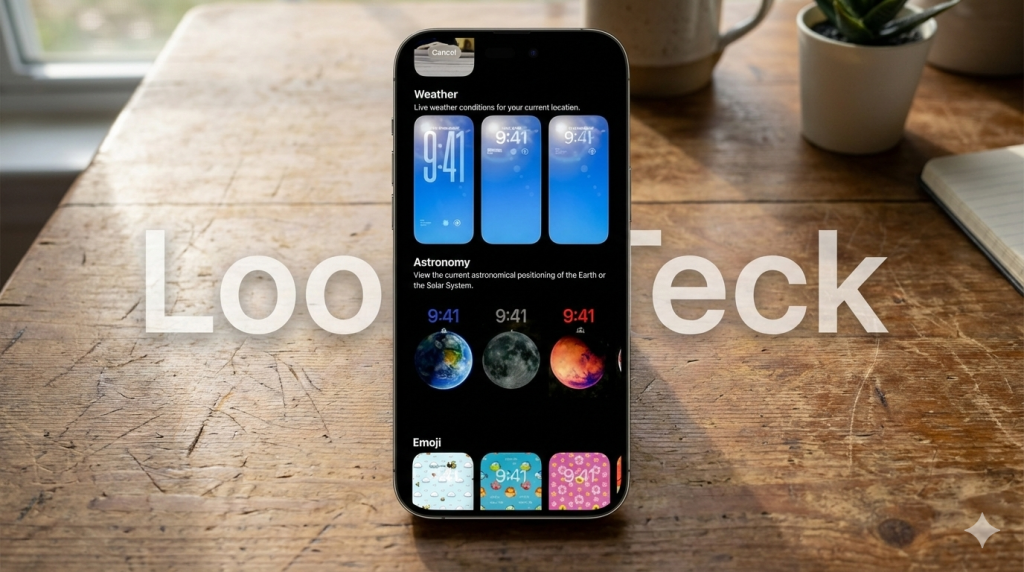
Visual customization receives subtle attention as well. A new Weather wallpaper category offers three dynamic presets. Users can access them by holding the Lock Screen and tapping the plus icon.
Additionally, Apple is expected to include its annual Black Unity wallpaper, along with a matching Apple Watch band and Unity Rhythm watch face.
Background Security Improvements Explained
iOS 26.3 continues Apple’s Background Security Improvement system. This feature delivers security components for Safari, WebKit, and system services without full OS updates.
Although recent test builds labeled “(a)” and “(b)” do not include visible fixes, they confirm Apple’s shift toward modular security updates.
Final Thoughts
Overall, the iOS 26.3 features prioritize reliability, smoother transitions between platforms, and behind-the-scenes enhancements. While modest in scope, this update delivers meaningful improvements that benefit everyday users.
For more Apple software updates, visit our related guides on Loop Teck.